62vauxhall
Veteran and General Yakker
- Joined
- May 14, 2014
- Messages
- 2,367
- Location
- Southwest Kootenays BC
- Tagline
- No such things as bad days, just bad moments
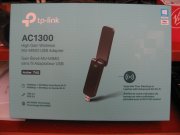
The house I just moved into is remote enough that the service provider I was using in the BC Lower Mainland does not service the area. I just cancelled my service this morning. The home's owners are using a service called Penny Lane and internet conectivity is included in the rent. But to use my desktp PC, I need a WiFi adaptor that plugs in a USB port.
Due to the stay at home guidlines, any shop which would sell those things are temporarily closed so I was told to order one from amazon.ca.
My needs I think are minimal so I don't need top of the line but I notced while browsing the many pages of such devices, that a number of them have an antenna attached but a great many are without. Is that a must have?
The couple upstairs who own the home both have Apple iPads which are WiFi enabled so they themselves do not require a plug in adaptor. I can randomly select from an overly large number in the $25 to $35 range but which one? Are they by nature all going to withstand the march of time, or might they pack it in prematurely? Or have speed or interference issues?
I am currently using a laptop that has that ability but would really like returning to using my PC.
If any here have knowledge of such things, a recommendation for a make/model would be appreciated or likewise for any to be avoided. There was no employment waiting for me at this end so cost is a factor.
I look forward to any replies.
Due to the stay at home guidlines, any shop which would sell those things are temporarily closed so I was told to order one from amazon.ca.
My needs I think are minimal so I don't need top of the line but I notced while browsing the many pages of such devices, that a number of them have an antenna attached but a great many are without. Is that a must have?
The couple upstairs who own the home both have Apple iPads which are WiFi enabled so they themselves do not require a plug in adaptor. I can randomly select from an overly large number in the $25 to $35 range but which one? Are they by nature all going to withstand the march of time, or might they pack it in prematurely? Or have speed or interference issues?
I am currently using a laptop that has that ability but would really like returning to using my PC.
If any here have knowledge of such things, a recommendation for a make/model would be appreciated or likewise for any to be avoided. There was no employment waiting for me at this end so cost is a factor.
I look forward to any replies.